App

TeroPDF

PDF Scanner, Editor, Converter & OCR

Loading translation…

TeroPDF is an all-in-one PDF toolkit for Android that helps you scan documents, create PDF files, edit and organize PDFs, convert files, extract text with OCR, sign documents, compress large PDFs, and manage everyday document tasks from one convenient application.

Whether you need to scan a receipt, combine several documents, reduce a PDF file size, extract text from an image, sign a form, protect a confidential document, or convert images into PDF, TeroPDF gives you the essential tools you need in one simple and easy-to-use app.

Download TeroPDF

Install TeroPDF on your Android device from Google Play.

Get TeroPDF on Google Play

Or scan this code with your phone camera.
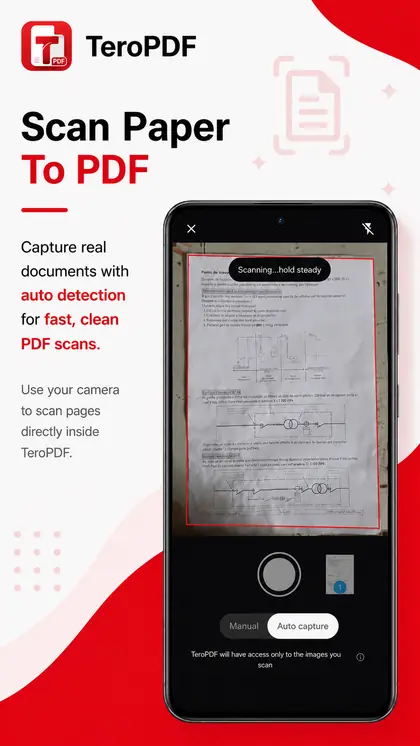
Scan Documents to PDF

Turn your phone into a practical document scanner.

With TeroPDF, you can scan:

  • Documents
  • Receipts
  • Notes
  • Forms
  • Contracts
  • Certificates
  • Invoices
  • Study materials
  • Printed pages

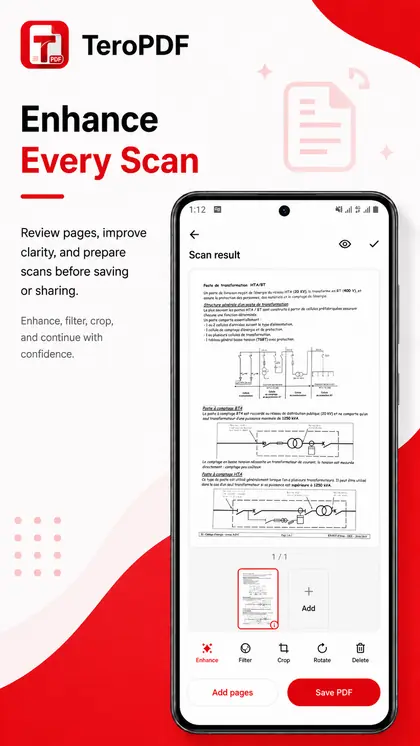
Create clean PDF documents directly from scanned pages and keep important paperwork organized digitally.

Document scanning is handled using Google Play services, providing a convenient scanning experience on supported Android devices.

Create and Convert PDF Files

Create PDFs from different types of content without needing separate applications.

TeroPDF includes tools for:

  • Images to PDF
  • Text to PDF
  • Markdown to PDF
  • CSV to PDF
  • Scan to PDF
  • PDF to images

Select photos from your device and combine them into one PDF, create documents from text, or export PDF pages as images when needed.

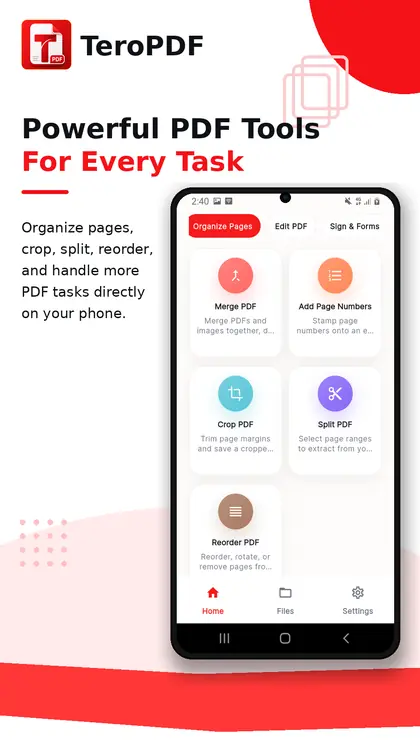
Merge PDF Files

Combine multiple PDF documents into a single file.

Choose the PDFs you want, arrange them in the correct order, and create one organized document. This is useful for combining reports, assignments, invoices, scanned pages, contracts, and other related files.

Split PDF Files

Separate a large PDF into smaller documents.

Extract the pages you need and create new PDF files without having to keep the entire original document.

Reorder PDF Pages

Change the order of pages inside a PDF.

Move pages into the correct sequence before saving your updated document.

Crop PDF Pages

Crop unnecessary areas from PDF pages and keep only the content you need.

This can be useful for scanned documents, screenshots, forms, and PDFs containing unwanted page margins.

Add Page Numbers

Add page numbers to PDF documents to make longer files easier to read, reference, and organize.

Useful for:

  • Reports
  • Academic documents
  • Business documents
  • Manuals
  • Projects
  • Multi-page files

Compress PDF Files

Reduce the size of large PDF documents to make them easier to store and share.

PDF compression can help when you need to:

  • Send a document by email
  • Reduce storage usage
  • Upload a PDF to a website
  • Meet file-size limits
  • Share documents more easily

Convert Images to PDF

Turn photos and images into PDF documents.

Select multiple images, organize them, and create a single PDF file for easy sharing and storage.

Perfect for scanned notes, receipts, homework, IDs, paperwork, and image-based documents.

Convert PDF to Images

Export PDF pages as images when you need individual pages outside the PDF format.

This is useful for sharing a specific page or working with PDF content as an image.

OCR: Extract Text from Images and Documents

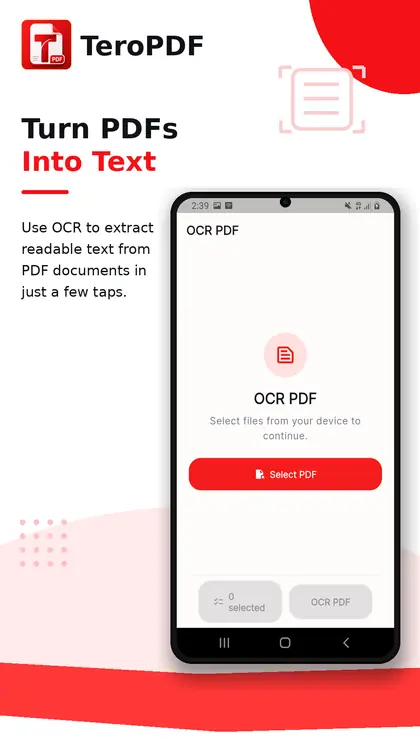
Use Optical Character Recognition (OCR) to extract readable text from supported images and scanned documents.

Instead of manually typing information from a document, TeroPDF can help turn visible text into selectable digital text.

OCR can be useful for:

  • Printed documents
  • Notes
  • Receipts
  • Study materials
  • Scanned pages
  • Forms
  • Articles

Annotate PDF Documents

Add annotations to your PDF files and make documents easier to review.

Use annotation tools when studying documents, reviewing files, highlighting important information, or preparing documents for later use.

Add Watermarks

Add a watermark to PDF documents when you want to identify, label, or personalize a file.

Watermarks can be useful for documents such as:

  • Drafts
  • Internal documents
  • Samples
  • Business files
  • Personal documents

Redact Sensitive Information

Hide sensitive information from PDF documents using the PDF redaction tool.

Redaction can help when preparing a document for sharing while removing information that should not remain visible.

Sign PDF Documents

Add your signature to PDF documents directly from your Android device.

Sign forms, agreements, business documents, and other PDFs without needing to print, sign, and scan them again.

Fill PDF Forms

Work with supported PDF forms directly from your phone.

Fill in document fields and prepare forms digitally instead of relying on printed copies.

Protect PDF Files

Add protection to PDF documents when additional document security is required.

This can help prevent unauthorized access to sensitive or private PDF files.

Unlock PDF Files

Remove supported PDF protection when you have permission and the required credentials to access the document.

This makes it easier to continue working with your own protected documents.

Edit PDF Metadata

Manage information associated with PDF documents.

Edit supported PDF metadata when you need better organization or more accurate document information.

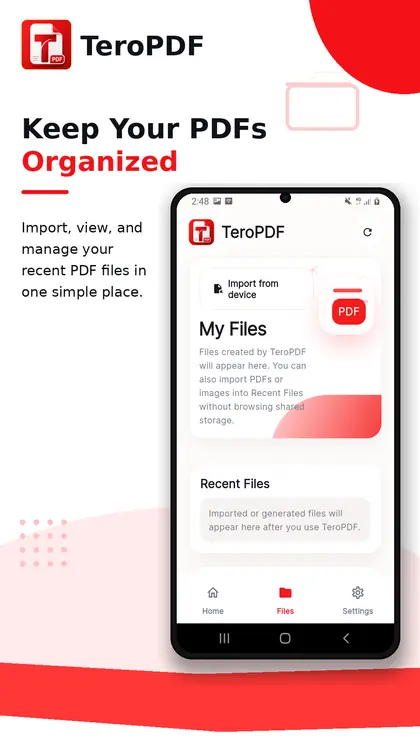
Organize Your PDF Workflow

TeroPDF brings frequently used document tools together in one application so you do not need a different app for every PDF task.

You can:

  • Create PDFs
  • Scan documents
  • Merge PDFs
  • Split PDFs
  • Reorder pages
  • Crop pages
  • Add page numbers
  • Compress PDFs
  • Convert images to PDF
  • Convert PDF pages to images
  • Extract text with OCR
  • Add watermarks
  • Annotate PDFs
  • Redact information
  • Sign PDFs
  • Fill PDF forms
  • Protect PDFs
  • Unlock PDFs
  • Edit PDF metadata

Designed for Everyday Use

TeroPDF can help with document tasks for:

Students: Scan notes, combine study materials, convert images into PDFs, extract text, and organize assignments.

Professionals: Sign documents, manage reports, compress files, fill forms, add watermarks, and organize business PDFs.

Freelancers and small businesses: Handle invoices, contracts, receipts, forms, scanned documents, and other everyday paperwork.

Personal use: Digitize important documents, organize files, scan receipts, create PDFs from photos, and keep documents accessible on your phone.

Privacy-Focused Document Processing

TeroPDF is designed to perform its PDF and document-processing operations directly on your device whenever supported by the feature.

Your documents do not need to be uploaded to a TeroPDF server for ordinary PDF editing and conversion operations.

TeroPDF does not require an account to use its main document tools.

The Scan to PDF feature uses Google Play services for document scanning on supported Android devices.

The application may use third-party Google services such as Google AdMob and Firebase Analytics for advertising and application analytics. These services may process technical or device-related information according to their respective privacy policies.

Simple and Accessible

TeroPDF is designed around a straightforward interface so common PDF tasks can be completed without complicated desktop software.

From scanning a document to creating, editing, converting, compressing, signing, or organizing a PDF, the goal is to keep the workflow clear and practical.

One App for Your Everyday PDF Tasks

Instead of installing several different PDF utilities, use TeroPDF as your everyday document toolkit.

Scan. Create. Convert. Organize. Compress. Edit. Sign. Protect. Extract text.

Manage your documents with TeroPDF.

Contact

Questions about TeroPDF, a feature, or a privacy request:

contact@itkeys.net